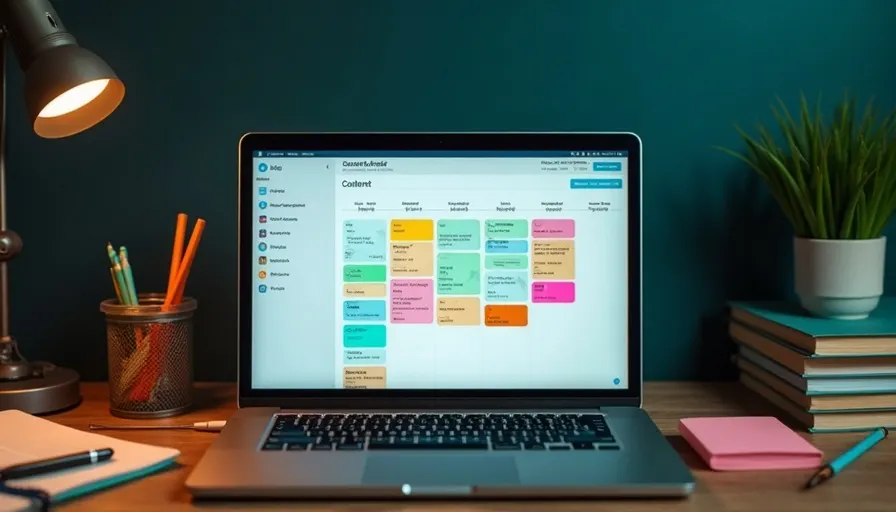
A TikTok ad calendar and a regular content calendar are not the same document. A content calendar plans what to post and when. An ad calendar plans when to test creative, when to scale budget, and when to start prepping for a peak season — the two run on different time granularities entirely.
Many brands try to run ad planning off the same logic as their social content calendar, and it never quite fits. A content calendar plans posting frequency by the week. An ad calendar has to work backward from creative lifespan and campaign flighting instead. Force the two into one system and you usually end up scrambling for creative right before a peak season hits. This article breaks down how to build a TikTok ad calendar: how to pace your testing cycle, how far ahead to prep for peak-season creative, and how to keep ad flighting in sync with your content production schedule.
How a TikTok ad calendar differs from a regular content calendar
A regular content calendar centers on posting frequency; an ad calendar centers on creative lifespan and budget pacing — that is the core difference between the two.
A content calendar built for organic reach usually locks in a fixed rhythm — "unboxing post on Wednesday, tutorial on Friday" — to keep the account active and stay in the algorithm's good graces. An ad calendar answers a completely different set of questions: roughly how many more days can this creative run before it fatigues, when should the next one take over, how far ahead of a peak season does the creative library need to be stocked, and when does budget move from testing into scale. None of these are fixed intervals — they move with creative performance, campaign flighting, and budget size.
In practice, it works best to keep the two calendars separate but sharing one production pipeline: the content calendar owns organic posting cadence, the ad calendar owns creative rotation and scaling timing, and both draw from the same asset library — since a lot of ad creative starts life as a cut-down version of something posted organically. Keeping them separate does not mean keeping them disconnected; it just avoids forcing an ad program that needs to react dynamically into a content calendar's fixed weekly rhythm.
Pacing your flighting cycle: four stages from testing to scale
An ad calendar's backbone is four stages: creative testing, audience validation, scaling, and creative rotation — and how long each one runs is driven by creative performance, not a fixed number of days on the calendar.
| Stage | What's happening | What to put on the calendar |
|---|---|---|
| Creative testing | Launch several creatives with different hooks at small budget to gather early signal | Schedule scripting and shooting for the next batch — do not wait until this test ends to start thinking about it |
| Audience validation | Pair the strongest creative with different audience setups to find the most stable combination | Set a fixed check-in point, e.g. reviewing performance every 3 to 5 days |
| Scaling | Increase spend behind the validated creative/audience combination | Add a budget review checkpoint so you do not forget to track fatigue speed after scaling |
| Creative rotation | Your lead creative starts to fatigue, so a backup version takes over | Schedule production of backup creative early, so something is ready before fatigue hits |
These four stages are not a one-time sequence — they run in a continuous loop. While one set of creative is being scaled, the next batch should already be in testing. The most common calendar mistake is laying the four stages out as a straight line, so that by the time rotation is needed, there is no backup creative ready to swap in. A steadier approach is to keep "creative testing" permanently scheduled ahead of the other three — no matter which creative is currently being scaled, a fresh batch should always be in the testing pipeline behind it.
Prepping creative for peak season: how far ahead to start
The right starting point for peak-season creative prep is counted backward from testing time plus production time — not counted forward from the day the sale starts.
During major flights like Double 11, Black Friday, or Lunar New Year, the whole market bids at once, so starting creative testing on day one of the sale means testing at the exact moment when it is most expensive to do so. A steadier rhythm splits the run-up into three phases: well before the flight, finish shooting and run initial tests so the strongest creative can clear its learning period; in the lead-up, warm up with creative that is already validated while watching for any shift in audience response tied to the seasonal mood; once the flight officially starts, scale the validated combinations directly rather than testing anything new in the moment, since bidding costs are already elevated and testing at that price point is too risky.
How much creative to stock depends on flight size and your historical fatigue rate: if past data shows your lead creative typically fatigues within one to two weeks and the flight needs extended exposure, you need enough rotation versions ready — not a single piece of creative expected to carry the whole flight. This production schedule should line up with the "creative testing" slot on your calendar well in advance; peak-season prep is not a separate production line, it is your normal production rhythm pulled earlier.
Keeping ad pacing in sync with your content calendar
The point of syncing ad pacing with your content calendar is making sure the creative you are scaling speaks the same language as what your organic content is saying right now, rather than the two running on separate scripts.
If this week's content calendar is centered on a new product launch but your ads are still running last month's creative, viewers clicking the ad land somewhere that does not match what the account is currently talking about, and that inconsistency erodes trust. A better approach treats the content calendar as a source of inspiration for ad creative rather than two parallel tracks: organic posts that perform especially well are strong candidates to cut down into ad creative; conversely, hooks and narrative angles that test well in ads can feed back into what gets planned for the next batch of organic content.
In practice, build in a shared check-in between the two calendars — weekly works well — where whoever owns content and whoever owns paid compare notes: what is on the content calendar this week, what creative is currently in testing, and whether there is anything worth borrowing in either direction. This does not need to be a formal meeting; the point is simply keeping the two timelines from running heads-down in isolation.
Three planning mistakes we see most often
The most common mistake is scheduling ad rotation on the same fixed interval as a content calendar, which means rotation constantly lags behind actual fatigue speed.
| Mistake | What actually happens | What to do instead |
|---|---|---|
| Rotating creative on a fixed interval | Creative has already fatigued but the calendar has not reached the scheduled swap date, so performance keeps sliding | Trigger rotation off fatigue indicators — reach and click decay — not off a date |
| Starting creative testing on flight day | Running a learning period at the most expensive bidding moment of the year | Move testing to well before the flight; scale validated combinations once the flight starts |
| Content calendar and ad calendar never talk | Ad creative talks about something different from what the account is currently posting, and it feels inconsistent to viewers | Set a weekly check-in so both timelines can borrow creative and hooks from each other |
All three mistakes share the same root cause: treating an ad calendar as a copy of a content calendar, and missing that ad delivery needs a rhythm that reacts to creative performance rather than a fixed posting cadence.
Frequently asked questions
Q1: How granular does an ad calendar need to be — do I need to plan every single day?
You do not need to plan out every day, but you should have a few fixed check-in points — for example, reviewing creative performance every 3 to 5 days and syncing with the content side weekly. The point of the calendar is marking when decisions need to happen, not filling in a to-do list for every date.
Q2: Do I really need to prep peak-season creative in advance, or can I test and adjust once the flight starts?
We would recommend prepping in advance. Bidding costs during a flight are usually elevated, so testing new creative at that point means running your learning period on the most expensive traffic of the year — a bigger risk than usual. It is steadier to finish testing before the flight so proven combinations have already cleared their learning period, then scale them directly once the flight starts.
Q3: Do the content calendar and the ad calendar have to be kept separate?
We would recommend keeping them separate, since the two run on different time logic: content calendars follow fixed posting frequency, ad calendars react dynamically to creative performance. Separate does not mean disconnected — both can share the same asset library and a fixed check-in point to stay aligned.
Q4: Can creative testing and scaling happen at the same time?
Yes, and it should. If testing for the next batch only starts once the scaled creative begins to fatigue, you end up with a gap. It is better to keep "creative testing" permanently scheduled ahead of the other stages, so fresh creative is always somewhere in the pipeline.
Q5: Does a small-budget brand still need a full ad calendar?
Yes, though it can be simplified. With a smaller budget, creative volume and testing frequency naturally scale down, but the two core principles — testing always ahead of scaling, and prepping early for peak season — still apply. The scale shrinks with the budget; it does not mean skipping planning altogether.
Conclusion: an ad calendar schedules decision points, not posting frequency
A TikTok ad calendar and a content calendar run on different logic. A content calendar schedules posting frequency; an ad calendar schedules the decision points across testing, validation, scaling, and rotation, and builds in early prep for peak-season flights. Conflate the two and the most common outcome is scrambling for creative right before a peak season, or discovering there is no backup once your scaled creative fatigues. Keeping them separate, sharing one asset library, and syncing regularly is what keeps the two timelines from working against each other.
If you are planning next quarter's flighting, or a peak season is coming up and your creative prep schedule is not set yet, reach out to us and let FlowBeat Ads walk through your ad calendar against your content calendar with you.
Peak season is coming — is your creative prep scheduled yet?
Most teams already have their content calendar down to a science. What tends to get missed is the ad-side rhythm: how far ahead creative testing should start, how to build a peak-season prep timeline, and how to hand off between scaling and rotation without a gap. Share your flighting plan with us and FlowBeat Ads will walk through your ad calendar with you.
LINE official account ID: @732xtlll

Scan to add us