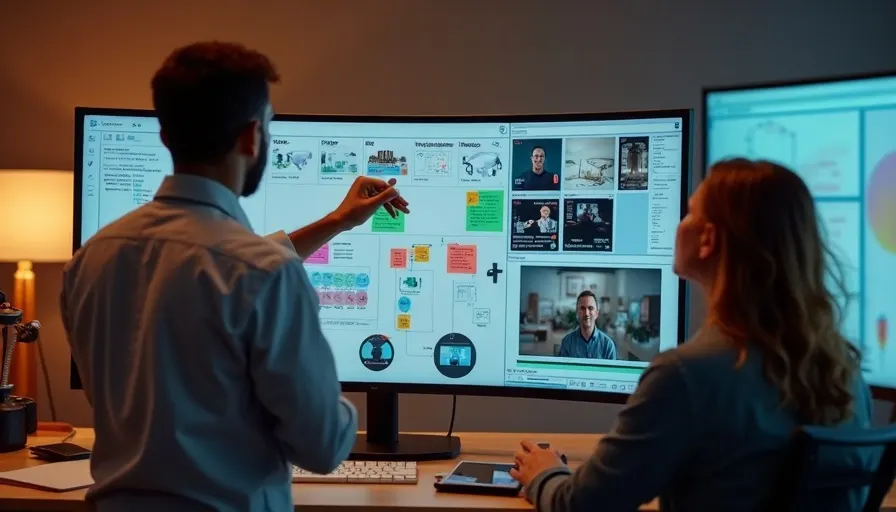
The editing pace of a TikTok ad creative decides whether a viewer scrolls away in the first three seconds — and once they scroll, it does not matter how good the product pitch was later on, because nobody sees it. That is the core difference between editing an ad and editing regular content.
Regular short-form editing aims for content that looks good and sticks in memory; whether someone watches to the end is not the only metric that matters. Ad creative editing has a much sharper target: completion rate and click-through rate. Every editing decision — where a cut lands, how captions appear, how sound design is layered in — ultimately has to serve conversion. This article does not cover delivery strategy or budget allocation (those are already broken down in our full short-form ad SOP and our short-form ad series guide). It focuses purely on the edit itself: how to cut the hook, how to pace the cuts, and how captions and sound design should work together to lift conversion.
How editing TikTok ad creative differs from regular short-form editing
Regular short-form editing chases completeness and polish; ad creative editing chases making every single second earn its place toward conversion — that is the first principle for deciding which editing techniques to use.
If a viewer gets bored halfway through an entertainment clip and scrolls away, the creator loses one view at most. If a viewer scrolls away halfway through an ad, that ad spend bought zero chances at conversion. This difference means ad editing has to be more ruthless: a plain but well-paced clip stays, a beautiful but pace-killing clip gets cut. The standard is always "does this second make the viewer want to keep watching," never "does this shot look nice."
Another difference is repeatable testability. Regular content is done once it is published. Ad creative goes into testing after the edit — the same script might get cut into three to five different hook versions, run on a small budget to see which performs best, with the rest discarded. Go into the edit with that mindset: you are not cutting a single "piece," you are cutting a batch of "candidates" for delivery testing to compare against each other.
Cutting the first-three-seconds hook: five common hook types
The first three seconds decide whether a viewer keeps watching, so the edit should put the most visually striking or information-dense moment right at the start — not follow chronological order from the raw footage.
| Hook type | How to cut it | Best for |
|---|---|---|
| Question hook | Cut straight into a question with a text overlay emphasizing the key word | Products with a clear pain point, so viewers feel "this is about me" |
| Visual contrast hook | Cut the before/after or unexpected moment to the very front, save the process for later | Results-driven products with a clear visual difference |
| Data-shock hook | Open with a large text overlay showing one concrete number, timed to the visual | Products or services with a specific, verifiable number to back it up |
| Relatable-scenario hook | Cut in a moment from an everyday scene the viewer instantly recognizes | Lifestyle or emotional products aiming for "we get your situation" |
| Suspense hook | Open on an unresolved action or moment that hooks curiosity | Tutorial or unboxing content, often paired with a "watch to the end" overlay |
In practice, watch the full raw footage first, find the three-to-five-second segment with the most impact, and cut it to the very front as the opener — break the original narrative order and rebuild it, rather than sticking to "the order things actually happened." This is also why ad creative editing usually takes more time than editing raw footage into a straightforward piece: the strongest opener rarely sits at the start of the raw footage, and you have to dig for it.
Editing pace: how cut frequency, captions, and sound design affect conversion
Cut frequency should follow content density, not a fixed number of seconds per cut — cut faster through information-dense segments to keep tension up, cut slower through segments the viewer needs to absorb, and alternating between the two usually beats running the same pace all the way through.
Captions are close to mandatory on TikTok ad creative, since most users scroll with sound off — without captions, half your audience never receives the message. Captions should not just be a verbatim transcript stamped onto the screen. In the edit, keywords should be pulled out in a different color or a larger size so viewers can catch the point at a glance without reading every word. Caption timing also needs to match the voiceover exactly; captions that land too early or too late feel out of sync.
Sound effects and music exist to reinforce pacing, not as background decoration. Pairing a cut with a swoosh or a beat hit gives the transition more punch, which works especially well when emphasizing a product feature or a number. Pick background music that matches the brand's tone and never overpowers the voiceover — music that steals too much attention pulls focus away from the core message.
The closing call to action also needs real editing attention, not just a line of spoken copy tacked on. In the final two or three seconds, use a clear text overlay or animation to emphasize the CTA — "Shop now," "Tap to learn more" — paired with a visual beat that gives viewers a moment to actually register it, rather than letting it flash by in a fast cut sequence.
Common editing tools and creative specs
The point of choosing an editing tool is not how many features it has, but whether it can quickly produce vertical creative that meets TikTok ad specs and handles captions and transitions well — the two features used most often.
Mobile editing apps today are already quite capable, with built-in caption styles and transition effects, and work well for teams producing test creative quickly. Desktop editing software suits polished final versions that need finer color grading or multi-track sound mixing. On specs, TikTok ad creative should consistently use a 9:16 vertical frame at 1080×1920, which is also the standard for most short-form ad placements today. Cropping horizontal footage down to vertical usually cuts away important visual elements and is not recommended.
Internally, it helps to build a shared editing template — caption font, keyword coloring, opening and closing animation style — so creative cut by different people on the team keeps a consistent visual language. Once viewers have seen a few pieces, they can recognize "this is the same brand's ad" at a glance, which also builds brand recall.
Three editing mistakes we see most often
The most common mistake is editing in chronological order, putting the flattest opening shot at the front and saving the genuinely striking moment for later.
| Mistake | What actually happens | What to do instead |
|---|---|---|
| Editing in chronological order | The first three seconds are a flat warm-up shot, and viewers scroll away before reaching the point | Find the most striking segment first and cut it to the front, breaking the original order |
| Running the same pace throughout | Fixed cut frequency makes viewers fatigue in the middle stretch | Cut faster through dense segments, slower through segments to absorb — alternate for more tension |
| Not designing for sound-off viewing | Key messages rely entirely on the voiceover, so muted viewers receive nothing | Highlight keywords in captions so viewers can grasp the message from the visuals alone |
All three mistakes share the same root cause: editing ad creative as if it were regular content, and missing that ad creative has to fight a viewer's instinct to scroll away in a very short window. Every editing decision should come back to one question: does this cut help more viewers reach the conversion moment.
Frequently asked questions
Q1: How many versions should I cut from one piece of ad creative for testing?
There is no fixed number, but at least three different hook versions make it easier to spot a real difference. Too few versions make it hard to tell whether the issue is the hook or the audience; too many stretch out testing time and dilute the budget each version gets. Three to five versions is a common practical starting point.
Q2: Do cuts always need to be fast? Does a slower-paced creative just not work?
Not necessarily. Cut frequency should follow content density rather than "faster is always better." Segments that need understanding or emotional connection can lose the viewer if cut too fast. The key is alternating pace, not running the entire piece at one speed.
Q3: Do captions need to cover every single word of the voiceover?
We would recommend at least captioning the key message, not necessarily transcribing every word. The goal is making sure muted viewers can still catch the core selling point — overly dense captions can actually clutter the screen and split attention.
Q4: Does mobile editing look much worse than desktop editing?
The gap is mostly in fine detail, not overall effectiveness. Mobile editing works well for producing test creative quickly and already handles captions, transitions, and music fine. Desktop software has the edge for finer color grading or multi-track mixing, but that level of polish is usually reserved for a proven hook getting a final, scaled-up version.
Q5: Can the same creative just keep running indefinitely?
We would not recommend it. Reach and clicks decline after the same creative has been running for a while — that is normal creative fatigue. It helps to prepare a few versions at the editing stage so a backup is ready to swap in seamlessly once the lead creative fatigues.
Conclusion: every second has to earn its place toward conversion
The core test for editing TikTok ad creative is simple: does this second make the viewer want to keep watching. Put the most striking moment in the first three seconds, alternate cut pace with content density, caption the keywords for sound-off viewing, and give the CTA a clear visual beat at the close. Get these editing decisions right, and the same raw footage can be cut into a version that genuinely moves conversion.
If you already have footage shot but are not sure how to edit it for better conversion, reach out to us and let FlowBeat Ads take a look at your editing direction.
Footage is shot. Is the editing direction right?
Most teams already have the shoot well handled. What tends to get stuck is the edit: which hook to lead with, how to pace the cuts, how much captioning is enough without being too much. Share your raw footage with us and FlowBeat Ads will walk through the editing direction and version plan with you.
LINE official account ID: @732xtlll

Scan to add us